• Skip to primary navigation
  • Skip to main content
CRM Junction – SuiteCRM Specialists

CRM Junction - SuiteCRM Specialists

The Home Of SuiteCRM Cloud Computing

  • Home
  • Features
  • Support Services
  • Training
    • Understanding Workflows
    • Understanding ‘The Cloud’
  • Pricing
  • Why SuiteCRM
  • Articles
  • Contact
    • Payments

SuiteCRM

Making Calls with Skype in SuiteCRM: A Seamless Integration for Efficient Communication

July 1, 2023 by chrisely

Effective communication is crucial for successful customer relationship management. SuiteCRM, a powerful and customizable CRM platform, offers a range of features to streamline your workflow. One such feature is the ability to integrate Skype, a widely used telephony app, to make calls directly from SuiteCRM.

Requirements: To utilize the Skype integration in SuiteCRM, you will need the following:

  1. A Skype Account: You must have an active Skype account with an outgoing calls plan. This allows you to make calls to phone numbers worldwide directly from SuiteCRM.
  2. Enabling Click-to-Call: In the SuiteCRM administrator section, you’ll find an option called “Enable click-to-call for phone numbers.” Ensure this option is turned on to activate the click-to-call functionality within SuiteCRM.

Verifying a Phone Number in Skype: Skype provides the option to verify phone numbers to enhance security and ensure the legitimacy of outgoing calls. By verifying a phone number, you can establish trust and confidence when making calls using SuiteCRM. For example, you can verify a mobile number associated with your Skype account.

Benefits of Skype Integration in SuiteCRM:

  1. Seamless Calling Experience: SuiteCRM’s integration with Skype eliminates the need for external applications or complex setups. With just a few clicks, you can initiate calls directly from SuiteCRM, saving time and effort.
  2. Worldwide Reach: With Skype’s extensive network, you gain the ability to make calls to phone numbers across the globe. This global accessibility empowers businesses to communicate with clients, partners, and prospects effortlessly, regardless of their geographical location.
  3. Caller ID Flexibility: When making calls through Skype within SuiteCRM, the outgoing calls appear as if they are coming from your mobile phone number. This enables a consistent and professional communication experience for your contacts.
  4. Conference Calling: Skype’s integration with SuiteCRM also supports conference calling. This feature allows you to seamlessly add other participants to your ongoing calls, fostering collaboration and enhancing communication within your teams.

Setting up Skype Integration in SuiteCRM:

  1. Skype Account Configuration: Ensure you have an active Skype account with the necessary outgoing calls plan. Verify your phone number within Skype to establish credibility for your outgoing calls.
  2. SuiteCRM Administrator Section: Access the SuiteCRM administrator section and navigate to the System settings. Locate the option “Enable click-to-call for phone numbers” and enable it. This activates the click-to-call functionality within SuiteCRM.
  3. Making Calls: With the Skype integration enabled, you can now initiate calls directly from SuiteCRM. Simply click on any phone number within the CRM system, and SuiteCRM will utilize Skype to dial the number automatically.

SuiteCRM’s integration with Skype provides a seamless and efficient calling experience for businesses. By enabling click-to-call functionality and configuring a Skype account, SuiteCRM users gain the ability to make calls to phone numbers worldwide without the need for external apps. With features like caller ID flexibility, conference calling, and global reach, SuiteCRM’s Skype integration empowers businesses to communicate effectively, fostering stronger customer relationships and driving organizational success.

By harnessing the power of SuiteCRM and Skype, making calls from within your CRM environment becomes a breeze, enabling you to streamline your communication processes and enhance productivity.

Filed Under: Business Operations, Marketing, Sonet Dynamics Blog, SuiteCRM

Seamless Integration: Syncing Shopify and SuiteCRM for Efficient E-commerce Management

June 30, 2023 by Scott Scholz

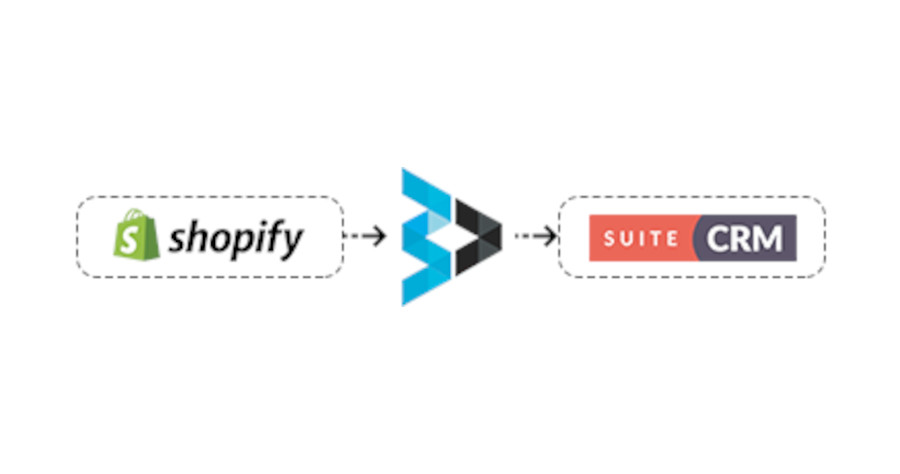
The Shopify Bridge, a powerful solution designed to seamlessly synchronize your customers, products, and orders between Shopify and SuiteCRM in real time. With our plugin, your accounting and sales teams gain a comprehensive overview of your business, customers, and orders directly within SuiteCRM.

Key Modules Covered:

  1. Customer: Our plugin synchronizes customer data from Shopify to SuiteCRM’s contacts module, allowing for a one-way synchronization.
  2. Product: Enjoy one-way synchronization of products and product categories from Shopify to SuiteCRM, ensuring your product catalog is up-to-date.
  3. Orders: All order data, including order status and product tracking information, is synchronized from Shopify to SuiteCRM, providing a complete view of your sales pipeline. The order module in SuiteCRM is customized to meet your specific needs.

Features:

  1. Customer Sync: Easily sync all your Shopify customers into SuiteCRM, ensuring your CRM is populated with up-to-date customer information.
  2. Product Sync: Our solution enables the synchronization of Shopify products into SuiteCRM, keeping your product catalog aligned across both systems.
  3. Real-time Order Sync: As customers place orders in Shopify, they are instantly synced to SuiteCRM in real time, allowing for prompt order processing and management.
  4. Custom Order Module: SuiteCRM incorporates a custom order module tailored to accommodate Shopify order data, offering seamless integration.
  5. Order Status Management: Our plugin efficiently manages order statuses within SuiteCRM, providing clear visibility into the progress of each order.
  6. Bulk Data and Real-time Sync: Choose between bulk data synchronization or real-time data synchronization options, depending on your specific needs and preferences.
  7. Additional Module Integration: SuiteCRM offers the flexibility to integrate extra modules with Shopify, catering to any additional requirements you may have.

With the Shopify Bridge, you can streamline your operations by synchronizing crucial data between Shopify and SuiteCRM, empowering your team with a unified view of your business, customers, and orders.

Filed Under: Marketing, Sonet Dynamics Blog, SuiteCRM

Role Management is a Crucial Feature of SuiteCRM. Here’s How To Set It Up

June 29, 2023 by chrisely

Welcome to this tutorial on how to set up roles in SuiteCRM, where you’ll learn how to assign user roles, establish sales groups with territories, and leverage role management to enhance data visibility, generate reports, and monitor the effectiveness of your sales team.

  1. Login to SuiteCRM Admin Panel:
    • Open your web browser and enter the URL of your SuiteCRM instance.
    • Enter your admin credentials to log in to the admin panel.
  2. Navigate to Role Management:
    • Once logged in, click on the “Admin” option in the top navigation menu.
    • In the Admin panel, locate and click on “Role Management” under the “Users” section.
  3. Create Roles:
    • Click on the “Create Role” button to create a new role.
    • Enter a name for the role, such as “Sales Representative,” and provide a description if desired.
    • Enable the “Role is Enabled” checkbox to activate the role.
  4. Define Role Permissions:
    • In the “Access” tab, you can set the module-level permissions for the role.
    • Select the modules relevant to the sales representatives, such as “Accounts,” “Contacts,” “Opportunities,” etc.
    • For each selected module, define the specific permissions like “View,” “Edit,” “Delete,” etc.
  5. The record-level security settings can be configured within each module’s access control settings.

    Set Record Level Security:

    • Within the Role Management section, navigate to the specific module for which you want to set record-level security (e.g., Accounts, Contacts, Opportunities).
    • Click on the module name to access the module’s access control settings.
    • In the access control settings for the module, you will find options like “View,” “Edit,” “Delete,” etc., for the selected role.
    • To set record-level security, you can use the “Group” or “Owner” field to define visibility criteria.
    • For example, you can set a filter to show only the records where “Assigned User” is the current user or where “Assigned User” belongs to a specific sales group.
    • Save the changes once you have configured the record-level security settings for the module.
  6. Create Sales Groups:
    • Navigate to the “Groups” module in SuiteCRM.
    • Click on “Create Group” to define a new sales group.
    • Enter a name for the group, such as “Territory A,” and save it.
  7. Assign Users to Sales Groups:
    • Open the user record of a sales representative you want to assign to a sales group.
    • In the user record, locate the “Groups” section.
    • Select the appropriate sales group, such as “Territory A,” and save the user record.
  8. Generate Reports and Monitor Sales Effectiveness:
    • SuiteCRM’s reporting features allow you to create custom reports based on various criteria, including roles and user activities.
    • Utilize the reporting module to generate reports that provide insights into the performance of salespeople, territories, and groups.
    • You can filter the reports based on specific roles or groups to monitor the effectiveness of different sales teams or individuals.

Role management in SuiteCRM is also essential in other areas, such as:

  • Data security and privacy: Roles help control access to sensitive customer data and ensure that only authorized users can view and modify it.
  • Collaboration and teamwork: By assigning users to specific groups, you can facilitate collaboration within sales teams and enable better coordination.
  • Workflow automation: Roles can be used to define permissions and triggers for automating various processes and workflows in SuiteCRM.

Remember to save your settings after configuring each step to ensure the changes take effect. With effective role management in SuiteCRM, you can tailor user access and visibility, improve sales team productivity, and gain valuable insights through comprehensive reporting.

Filed Under: Sonet Dynamics Blog, SuiteCRM

Send WhatsApp from SuiteCRM at One Click

June 28, 2023 by Scott Scholz

With this SuiteCRM integration, you can easily send WhatsApp messages to any mobile number with a single click on the WhatsApp icon within any module. It enables you to automate WhatsApp messaging to your clients based on predefined actions known as workflows.

Additionally, you can send bulk WhatsApp messages directly from module list views such as Account, Contact, and Lead, and receive replies as inbound WhatsApp messages.

Key Features

  • Send WhatsApp messages from all modules.
  • Single Conversation view same as Whatsapp mobile for all your Whatsapp conversations in SuiteCRM.
  • Send Whatsapp using existing text email templates.
  • Picture and text messages can be sent using only the caption option.
  • Track all your conversation in one Click.
  • You can see the Outbound / Inbound WhatsApp records in a Call module.
  • Send immediate WhatsApp notifications to your Sales manager by WorkFlow when a new Lead is assigned.
  • Send immediate WhatsApp notifications to your support engineer by WorkFlow when a new Case is assigned.
  • Bulk/Mass WhatsApp feature for Accounts, Leads, Contacts modules from ListView.
  • Auto Related Outbound/Inbound WhatsApp to the appropriate module record.
  • Users Can see Notifications when Inbound Whatsapp is received.
  • It can be used as a reminder, Anniversary, birthday to customers.

Filed Under: Business Operations, Sonet Dynamics Blog, SuiteCRM

SuiteCRM: An Amazing CRM System Straight Out of the Box, Yet Incredibly Customizable

June 27, 2023 by chrisely

Customer Relationship Management (CRM) systems are essential for businesses looking to streamline their processes, improve customer interactions, and drive growth. SuiteCRM, an open-source CRM platform, stands out as an exceptional choice, offering an impressive range of features and functionality that can be further enhanced and tailored to meet specific business requirements.

  1. SuiteCRM, Ready to Use and Feature-Rich: SuiteCRM provides a comprehensive set of CRM features right from the start. Out of the box, you have access to modules such as accounts, contacts, leads, opportunities, and activities, enabling you to manage your customer relationships effectively. The intuitive user interface and preconfigured layouts make it easy for users to navigate and start using the system with minimal effort.
  2. Extensive Customization with Studio: One of the standout features of SuiteCRM is the Studio, a powerful customization tool that allows users to modify existing modules and create entirely new ones. With Studio, you can effortlessly add new fields, rearrange layouts, and define relationships between modules to suit your specific business needs. This flexibility empowers businesses to tailor the CRM system to match their unique processes and industry requirements, ensuring maximum efficiency and user adoption.
  3. Vibrant Add-Ons Industry: SuiteCRM boasts a vibrant add-ons ecosystem, providing an extensive library of extensions and integrations. These add-ons extend the functionality of SuiteCRM, allowing businesses to integrate telephony systems, manage inventory, synchronize with popular accounting software like QuickBooks, and seamlessly integrate with widely used tools such as Outlook and Google Suite. The wide array of add-ons enables businesses to adapt SuiteCRM to their specific requirements, ensuring a comprehensive solution that caters to their unique needs.
  4. Roles Management: Personalized User Experiences.The Roles Management feature in SuiteCRM allows administrators to define specific roles for users within the system. By assigning roles, businesses can control and limit access to certain modules and data based on user responsibilities. This level of granularity ensures that users only see and interact with the information relevant to their roles, enhancing security, and maintaining data integrity. Whether it’s sales, marketing, or customer support, SuiteCRM’s Roles Management empowers organizations to provide personalized user experiences while maintaining control over data access.
  5. Adaptability and Limitless Possibilities: At its core, SuiteCRM is built on a highly customizable relational database. This adaptability allows businesses to mold the CRM system to their specific needs, creating tailored workflows, automated processes, and unique data structures. With SuiteCRM’s extensive tools and enhancements, the possibilities are limitless. Whether you need a specialized CRM for a niche industry, an intricate sales pipeline, or a comprehensive customer service solution, SuiteCRM can be transformed to meet your vision.

SuiteCRM combines the advantages of being a feature-rich CRM system right out of the box while also offering powerful customization capabilities. With the Studio feature, businesses can easily modify modules, create new fields, and establish relationships between data. The vibrant add-ons ecosystem extends SuiteCRM’s functionality and enables seamless integration with other business tools. Additionally, Roles Management provides personalized user experiences while ensuring data security. SuiteCRM’s adaptability and limitless possibilities make it a remarkable CRM solution that can be molded to suit the unique needs of any business.

Filed Under: Sonet Dynamics Blog, SuiteCRM

  • « Go to Previous Page
  • Page 1
  • Interim pages omitted …
  • Page 6
  • Page 7
  • Page 8
  • Page 9
  • Page 10
  • Interim pages omitted …
  • Page 13
  • Go to Next Page »

Copyright © 2026 · Sonet Dynamics llc · All Rights Reserved