• Skip to primary navigation
  • Skip to main content
CRM Junction – SuiteCRM Specialists

CRM Junction - SuiteCRM Specialists

The Home Of SuiteCRM Cloud Computing

  • Home
  • Features
  • Support Services
  • Training
    • Understanding Workflows
    • Understanding ‘The Cloud’
  • Pricing
  • Why SuiteCRM
  • Articles
  • Contact
    • Payments

Business Operations

Efficient Project Planning and Tracking with SuiteCRM’s Projects Module

July 2, 2023 by Scott Scholz

Project planning is a critical aspect of running a successful small business, as it lays the foundation for efficient execution, effective resource allocation, and strategic decision-making. While it may seem daunting to devote time and effort to planning amidst the hustle and bustle of day-to-day operations, the benefits of comprehensive project planning cannot be overstated. From optimizing productivity and minimizing risks to fostering collaboration and achieving long-term goals, a well-structured project plan empowers small businesses to navigate challenges, seize opportunities, and ultimately thrive in a competitive marketplace.

The Projects module in SuiteCRM provides a comprehensive toolset for planning, managing, and tracking various projects within your organization. Here’s a step-by-step guide on how to effectively use the Projects module:

 

  1. Creating a New Project:

    • To create a new project, navigate to the Projects module within SuiteCRM.
    • Click on the “Create Project” button or the “+” icon to initiate the project creation process.
    • Fill in the required information such as project name, start date, end date, and project status.
    • Optionally, you can assign a project manager, select a related account or contact, and add any additional details or notes.
  2. Defining Project Tasks:

    • Once the project is created, you can start defining individual tasks that need to be completed.
    • Navigate to the “Tasks” sub-panel within the project record.
    • Click on the “Create Task” button to add a new task.
    • Specify the task details such as task name, start date, due date, task status, priority, and assigned user.
    • Provide a description of the task and set any relevant dependencies or milestones.
  3. Tracking Project Progress:

    • SuiteCRM offers various features to track the progress of your project.
    • Within the project record, you can view an overview of tasks, their status, and progress through the “Tasks” sub-panel.
    • Update task statuses regularly as they are completed or if there are any changes.
    • Utilize the project Gantt chart to visualize task dependencies, timelines, and overall project progress.
    • Keep team members informed by using the project-related activity streams or notifications.
  4. Managing Project Documents:

    • SuiteCRM allows you to manage project-related documents within the Documents module.
    • Attach relevant files, such as project plans, specifications, or reports, to the project record.
    • Organize documents into folders for easy access and categorization.
    • Collaborate with team members by sharing documents and setting appropriate access permissions.
  5. Utilizing Collaboration Tools:

    • SuiteCRM offers collaboration tools to enhance team communication and collaboration on projects.
    • Utilize the Comments section within the project record to communicate updates, ask questions, or provide feedback.
    • Take advantage of SuiteCRM’s integration with other communication tools like emails or chat platforms to ensure seamless collaboration.
  6. Reporting and Analysis:

    • SuiteCRM provides reporting capabilities to analyze project performance and gain insights.
    • Generate project-related reports to assess progress, track milestones, and identify bottlenecks.
    • Customize reports and dashboards to display project-specific key performance indicators (KPIs) and metrics.

By effectively utilizing the Projects module in SuiteCRM, you can efficiently manage and track projects, collaborate with team members, and ensure successful project delivery within your organization.


Filed Under: Business Operations, Sonet Dynamics Blog, SuiteCRM

Making Calls with Skype in SuiteCRM: A Seamless Integration for Efficient Communication

July 1, 2023 by chrisely

Effective communication is crucial for successful customer relationship management. SuiteCRM, a powerful and customizable CRM platform, offers a range of features to streamline your workflow. One such feature is the ability to integrate Skype, a widely used telephony app, to make calls directly from SuiteCRM.

Requirements: To utilize the Skype integration in SuiteCRM, you will need the following:

  1. A Skype Account: You must have an active Skype account with an outgoing calls plan. This allows you to make calls to phone numbers worldwide directly from SuiteCRM.
  2. Enabling Click-to-Call: In the SuiteCRM administrator section, you’ll find an option called “Enable click-to-call for phone numbers.” Ensure this option is turned on to activate the click-to-call functionality within SuiteCRM.

Verifying a Phone Number in Skype: Skype provides the option to verify phone numbers to enhance security and ensure the legitimacy of outgoing calls. By verifying a phone number, you can establish trust and confidence when making calls using SuiteCRM. For example, you can verify a mobile number associated with your Skype account.

Benefits of Skype Integration in SuiteCRM:

  1. Seamless Calling Experience: SuiteCRM’s integration with Skype eliminates the need for external applications or complex setups. With just a few clicks, you can initiate calls directly from SuiteCRM, saving time and effort.
  2. Worldwide Reach: With Skype’s extensive network, you gain the ability to make calls to phone numbers across the globe. This global accessibility empowers businesses to communicate with clients, partners, and prospects effortlessly, regardless of their geographical location.
  3. Caller ID Flexibility: When making calls through Skype within SuiteCRM, the outgoing calls appear as if they are coming from your mobile phone number. This enables a consistent and professional communication experience for your contacts.
  4. Conference Calling: Skype’s integration with SuiteCRM also supports conference calling. This feature allows you to seamlessly add other participants to your ongoing calls, fostering collaboration and enhancing communication within your teams.

Setting up Skype Integration in SuiteCRM:

  1. Skype Account Configuration: Ensure you have an active Skype account with the necessary outgoing calls plan. Verify your phone number within Skype to establish credibility for your outgoing calls.
  2. SuiteCRM Administrator Section: Access the SuiteCRM administrator section and navigate to the System settings. Locate the option “Enable click-to-call for phone numbers” and enable it. This activates the click-to-call functionality within SuiteCRM.
  3. Making Calls: With the Skype integration enabled, you can now initiate calls directly from SuiteCRM. Simply click on any phone number within the CRM system, and SuiteCRM will utilize Skype to dial the number automatically.

SuiteCRM’s integration with Skype provides a seamless and efficient calling experience for businesses. By enabling click-to-call functionality and configuring a Skype account, SuiteCRM users gain the ability to make calls to phone numbers worldwide without the need for external apps. With features like caller ID flexibility, conference calling, and global reach, SuiteCRM’s Skype integration empowers businesses to communicate effectively, fostering stronger customer relationships and driving organizational success.

By harnessing the power of SuiteCRM and Skype, making calls from within your CRM environment becomes a breeze, enabling you to streamline your communication processes and enhance productivity.

Filed Under: Business Operations, Marketing, Sonet Dynamics Blog, SuiteCRM

Send WhatsApp from SuiteCRM at One Click

June 28, 2023 by Scott Scholz

With this SuiteCRM integration, you can easily send WhatsApp messages to any mobile number with a single click on the WhatsApp icon within any module. It enables you to automate WhatsApp messaging to your clients based on predefined actions known as workflows.

Additionally, you can send bulk WhatsApp messages directly from module list views such as Account, Contact, and Lead, and receive replies as inbound WhatsApp messages.

Key Features

  • Send WhatsApp messages from all modules.
  • Single Conversation view same as Whatsapp mobile for all your Whatsapp conversations in SuiteCRM.
  • Send Whatsapp using existing text email templates.
  • Picture and text messages can be sent using only the caption option.
  • Track all your conversation in one Click.
  • You can see the Outbound / Inbound WhatsApp records in a Call module.
  • Send immediate WhatsApp notifications to your Sales manager by WorkFlow when a new Lead is assigned.
  • Send immediate WhatsApp notifications to your support engineer by WorkFlow when a new Case is assigned.
  • Bulk/Mass WhatsApp feature for Accounts, Leads, Contacts modules from ListView.
  • Auto Related Outbound/Inbound WhatsApp to the appropriate module record.
  • Users Can see Notifications when Inbound Whatsapp is received.
  • It can be used as a reminder, Anniversary, birthday to customers.

Filed Under: Business Operations, Sonet Dynamics Blog, SuiteCRM

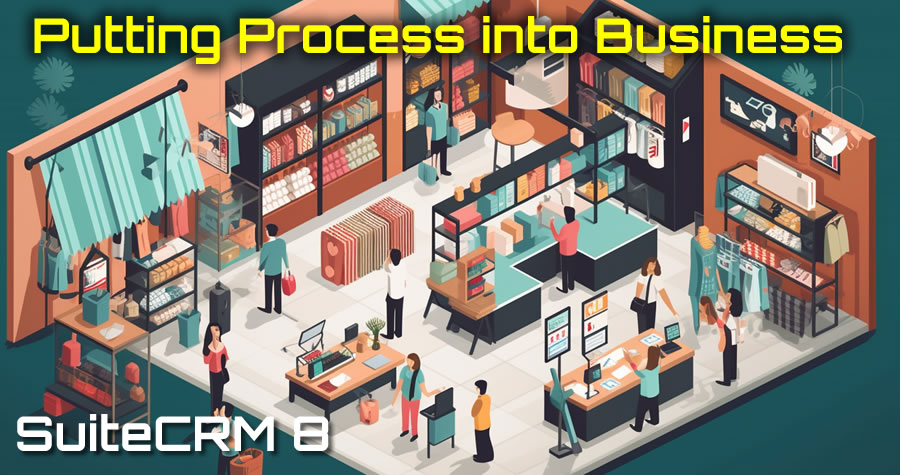
The Importance of Process in Business: Streamline and Grow with SuiteCRM

June 24, 2023 by chrisely

Efficient processes are essential for success. Without well-defined procedures, businesses can find themselves overwhelmed, struggling to keep up with daily operations. However, implementing robust processes can transform the way a business operates, leading to increased productivity, better customer relationships, and sustained growth. One powerful tool that helps streamline operations and automate tasks is SuiteCRM, a comprehensive customer relationship management system. In this blog post, we’ll explore how SuiteCRM adds process to businesses through workflows and automated actions, and how small businesses can benefit from implementing these systems.

  1. The Pitfall of Overextension: Small businesses often face the challenge of overextending themselves. Without well-established procedures in place, business owners find themselves constantly working to keep up with day-to-day tasks. This lack of process leads to inefficiencies, missed opportunities, and burnout. Implementing a structured CRM system like SuiteCRM can help alleviate this problem.
  2. Streamlining Lead Management: One critical aspect of business growth is effectively managing leads. SuiteCRM provides a powerful leads management system that ensures no opportunity falls through the cracks. Automated workflows and reminders help businesses follow up with leads, ensuring timely responses and maximizing conversion rates. By automating lead management, businesses can focus on building relationships and closing deals rather than getting bogged down in administrative tasks.
  3. Seamless Quote and Invoice Management: SuiteCRM offers seamless integration of the sales process from lead to customer. Once a lead is converted into a customer, SuiteCRM allows businesses to generate quotes and invoices effortlessly. This streamlines the entire sales cycle, eliminating manual data entry and reducing the chances of errors. By automating these processes, businesses can save time and resources while delivering a professional and efficient experience to customers.
  4. Automated Follow-ups and Workflows: SuiteCRM’s workflow capabilities enable businesses to set up automated follow-ups with customers. Whether it’s sending reminders for upcoming appointments or nurturing relationships through personalized emails, workflows ensure that no customer is left behind. By automating routine tasks and communications, businesses can maintain consistent engagement, enhance customer satisfaction, and drive repeat business.
  5. Generating Reports and KPIs: An essential component of business growth is tracking performance and making data-driven decisions. SuiteCRM offers robust reporting features that provide valuable insights into business metrics. By automatically generating reports, businesses can analyze key performance indicators (KPIs), such as conversion rates, customer acquisition costs, and revenue trends. This data empowers businesses to identify areas of improvement, optimize strategies, and make informed decisions for future growth.

Implementing effective processes is crucial for the success and growth of any business. SuiteCRM serves as a powerful tool for streamlining operations, automating tasks, and driving business growth. By leveraging workflows and automated actions, businesses can streamline lead management, quote and invoice generation, customer follow-ups, and reporting. This level of process automation and data-driven decision-making can make the difference between a struggling business and a thriving, growing enterprise. Embrace SuiteCRM and empower your business to reach new heights through efficient processes and enhanced customer relationships.

Sonet Dynamics Install, Host and Consult in SuiteCRM

Filed Under: Business Operations, Sonet Dynamics Blog, SuiteCRM

Achieving Work-Life Balance: How CRM Holds a Key to Becoming a More Effective Leader

June 22, 2023 by Scott Scholz

New research suggests that disconnecting from work after the end of the workday and maintaining a healthy work-life balance can significantly improve leadership effectiveness. According to a study conducted by scientists from the University of Florida, the University of Arizona, and Florida State University, managers who disengaged from work-related activities during their personal time felt more refreshed the following day, exhibited qualities of effective leadership, and better supported their employees in achieving their targets compared to bosses who remained preoccupied with work during their off hours. Interestingly, less-experienced leaders were particularly vulnerable to ineffectiveness when they dedicated their personal time to work-related matters.

The implications of this research indicate that implementing an effective Customer Relationship Management (CRM) system can further enhance leadership outcomes in the workplace. By adopting a CRM system, leaders can streamline and automate various aspects of their job, allowing them to disengage from work more easily during personal time. A well-implemented CRM system helps leaders manage customer interactions, sales processes, and team collaboration efficiently. By automating routine tasks, centralizing customer data, and providing comprehensive analytics, CRM systems alleviate the burden on leaders and enable them to disconnect from work with greater ease.

The study, which involved surveying managers and employees in U.S. businesses, revealed that when leaders successfully detached themselves from work and avoided dwelling on work-related stressors, they experienced increased energy levels the next day and a stronger sense of identification with their leadership role. In turn, employees rated these leaders as more effective in motivating and guiding their teams. Conversely, leaders who reported thinking about negative work aspects during their personal time failed to recover their energy levels by the following morning. They viewed themselves as less leader-like and were deemed less effective by their followers.

To promote a healthy work-life balance and foster effective leadership, it is crucial for leaders and businesses to prioritize strategies that facilitate detachment from work. Managers can utilize the findings of this study to support their decision to be present at home and disengage from work-related activities. While the study did not delve into specific relaxation techniques, previous research suggests various approaches to unwind and recharge, such as exercise, socializing with friends, spending quality time with family, or engaging in leisure activities like watching TV shows, reading books, or pursuing hobbies. Each individual should identify the methods that best allow them to decompress from work and incorporate them into their routine.

Moreover, businesses can play a vital role in promoting work-life balance and cultivating effective leaders. Reducing after-hours communication expectations, such as limiting email access or on-call work requirements, is one way organizations can support their leaders in disconnecting from work. Technology, which often contributes to after-hours work, can also provide solutions. Leaders can utilize features like disabling work-related notifications on their phones after a certain hour or designating specific areas, such as a dedicated office space, for work devices. By taking small steps like setting boundaries with work-related activities, leaders can gradually establish a healthier work-life balance.

Implementing an effective CRM system can complement the efforts of leaders to disconnect from work during personal time and enhance their overall performance. By incorporating strategies that prioritize work-life balance, both individual leaders and businesses can contribute to the development of effective leadership and create a more productive and fulfilling work environment. Contact Sonet Dynamics to explore how.

Filed Under: AI, Business Operations, Sonet Dynamics Blog, SuiteCRM

  • « Go to Previous Page
  • Page 1
  • Interim pages omitted …
  • Page 4
  • Page 5
  • Page 6
  • Page 7
  • Page 8
  • Go to Next Page »

Copyright © 2026 · Sonet Dynamics llc · All Rights Reserved