• Skip to primary navigation
  • Skip to main content
CRM Junction – SuiteCRM Specialists

CRM Junction - SuiteCRM Specialists

The Home Of SuiteCRM Cloud Computing

  • Home
  • Features
  • Support Services
  • Training
    • Understanding Workflows
    • Understanding ‘The Cloud’
  • Pricing
  • Why SuiteCRM
  • Articles
  • Contact
    • Payments

Sonet Dynamics Blog

SuiteCRM Dominates the Data Arena: Unbeatable Pricing, Unparalleled Accessibility, Leaving Spreadsheets in the Dust

July 29, 2023 by chrisely

In the age of data-driven decision-making, the importance of efficient data management cannot be overstated. Yet, despite the benefits of CRM systems, many businesses continue to rely on manual methods and spreadsheets due to the perceived high costs associated with implementing commercial CRMs like Salesforce. However, there’s a game-changing solution that offers the best of both worlds – SuiteCRM. This open-source CRM system empowers businesses with all the premium advantages of CRM, saving thousands of dollars compared to commercial alternatives.
The Cost Dilemma: Commercial CRMs vs. SuiteCRM

Implementing full commercial CRMs like Salesforce can be prohibitively expensive for many businesses. Licensing fees, user costs, and ongoing maintenance expenses can quickly add up, making it an unattainable investment for some organizations. As a result, businesses may continue with manual data storage methods, unaware of the more cost-effective and equally powerful alternatives available.

The SuiteCRM Advantage: Open-Source and Free for All

Enter SuiteCRM, an open-source CRM system that completely redefines the cost landscape of CRM solutions. Regardless of the number of users, SuiteCRM is entirely free, offering unlimited access without additional charges. This revolutionary pricing model opens doors for businesses of all sizes, enabling them to enjoy the full benefits of a premium CRM without breaking the bank.

Benefits of SuiteCRM: A Cost-Effective Data-Driven Solution

By embracing SuiteCRM, businesses can reap numerous benefits while saving substantial sums of money:

  1. Comprehensive Data Management: SuiteCRM ensures clean, consistent, and secure data management, streamlining business processes.
  2. Cost Savings: As an open-source solution, SuiteCRM eliminates licensing fees and user costs, resulting in significant savings.
  3. Scalability: With SuiteCRM, businesses can grow without worrying about escalating costs based on user numbers.
  4. Enhanced Customer Experience: SuiteCRM provides a 360-degree view of customers, facilitating personalized interactions and boosting satisfaction.
  5. Increased Productivity: Automation features in SuiteCRM save time and effort, allowing teams to focus on core tasks.
  6. Real-Time Insights: SuiteCRM offers in-depth data analysis and reporting for informed decision-making.
  7. Competitive Edge: By harnessing the power of CRM, businesses can stay ahead of competitors and achieve higher success rates.

Maximizing Value with SuiteCRM

SuiteCRM’s cost-effectiveness doesn’t come at the expense of quality. It is a robust, feature-rich solution that rivals even the most popular commercial CRMs. By choosing SuiteCRM, businesses can enjoy all the functionalities they need without sacrificing their budget. With the money saved, businesses can invest in other areas that drive growth and success.

While the cost of implementing commercial CRMs like Salesforce can deter many businesses from embracing CRM solutions altogether, the availability of SuiteCRM changes the game entirely. SuiteCRM’s open-source and free nature makes it the ideal choice for businesses seeking a cost-effective yet powerful data management solution. With SuiteCRM, businesses can unlock the full potential of CRM without compromising on quality or breaking the bank. So, why settle for manual methods and spreadsheets when SuiteCRM offers an unmatched opportunity to streamline operations, boost customer engagement, and drive overall business success? Embrace SuiteCRM today and discover how affordable, powerful, and transformative a CRM system can truly be.


Filed Under: Business Operations, Sonet Dynamics Blog, SuiteCRM

RevOps: Unlocking Higher Productivity and Efficiency in Revenue Generation

July 28, 2023 by Scott Scholz

The rise of Revenue Operations (RevOps) is changing the traditional sales culture for businesses. RevOps emphasizes a holistic approach to revenue generation, focusing on the entire customer journey, from initial touchpoints to post-purchase support. It recognizes that customer experience involves multiple touchpoints across the organization, breaking down silos between departments.

RevOps is not limited to the sales team but involves collaboration across sales, marketing, customer success, and other functions. It brings together all factors related to sales, including marketing, website development, e-commerce, pricing strategy, and more. By implementing a RevOps strategy, companies can streamline internal operations, optimize sales and marketing funnels, reduce friction in the customer journey, and increase customer satisfaction.

The move to RevOps is gaining momentum, with Gartner predicting that 75% of high-growth tech companies will employ RevOps for end-to-end revenue production by 2025. Companies like Grainger and Protective Industrial Products have already made successful transitions to RevOps, resulting in improved revenue generation and streamlined operations.

While RevOps offers numerous advantages, its adoption is hindered by organizational silos, lack of CRM systems, and staffing challenges. However, experts expect more companies to move toward a centralized RevOps model to meet customer demands and adapt to changing buying habits and trends. The implementation of RevOps requires a go-to-market plan and technology solutions tailored to the specific industry. Ultimately, RevOps puts the customer at the center of a company’s revenue generation efforts, leading to increased success in the competitive business environment.

Sonet Dynamics helps companies leverage open source SuiteCRM to manage the customer’s journey with the company and to maximize its revenue generation opportunities.

Filed Under: Business Operations, Marketing, Sonet Dynamics Blog, SuiteCRM

Nurturing Leads and Cultivating Customer Loyalty with SuiteCRM’s Multi-Step Follow-Up Process

July 27, 2023 by chrisely

It is crucial to implement a well-structured follow-up process to convert leads into customers and, more importantly, maintain lasting relationships with existing clients. A multi-step follow-up strategy, powered by a robust Customer Relationship Management (CRM) platform like SuiteCRM, can significantly enhance customer engagement and foster loyalty.

The Value of a Multi-Step Follow-Up Process

A multi-step follow-up process is a series of strategically planned interactions with leads and customers, designed to guide them through the buyer’s journey and beyond. Here’s why it is so crucial:

  1. Nurturing Leads: A well-orchestrated follow-up process ensures that leads receive timely and relevant information, gradually building trust and interest in your products or services.
  2. Maximizing Conversion Rates: Consistent follow-ups increase the chances of converting leads into paying customers, as it keeps your business at the forefront of their minds.
  3. Customer Retention: Maintaining communication after a purchase is equally vital. A multi-step follow-up process nurtures customer relationships, reducing churn and increasing repeat business.

SuiteCRM’s Workflow Automation: Nurturing Leads, Engaging Customers

SuiteCRM’s Workflow Automation feature allows businesses to create intricate and automated follow-up processes. Let’s explore how this powerful tool can manage the entire journey of a lead, from initial contact to becoming a loyal customer:

  1. Welcome Email (Day 1): When a lead is captured in SuiteCRM, the workflow can automatically trigger a welcome email, acknowledging their interest and initiating the relationship.
  2. Follow-Up Call Task (Day 2): On day 2, SuiteCRM can automatically allocate a follow-up call task to a designated salesperson, ensuring no lead falls through the cracks.
  3. Follow-Up Email (Day 4): If the lead remains unresponsive, the workflow can automatically send a follow-up email, reminding them of the value your business offers.
  4. Customer Conversion (Day 7): If the lead converts into a customer, SuiteCRM can categorize them accordingly and trigger a personalized email with exclusive offers or a thank-you message.

Staying in Touch and Cultivating Loyalty

SuiteCRM’s workflow automation extends beyond lead nurturing. For existing customers, the CRM can schedule regular check-ins, courtesy calls, or automated emails featuring relevant content and promotions. This consistent communication fosters customer loyalty and strengthens the bond between your business and its clients.

The Power of Automation vs. Manual Systems

A manual follow-up process, reliant on spreadsheets or paper-based rolodexes, is time-consuming and prone to human error. On the other hand, SuiteCRM’s workflow automation empowers businesses to efficiently manage leads and customers on a large scale. It eliminates the risk of missed opportunities, ensuring that each interaction is timely, personalized, and effective.

Segmentation and Targeted Campaigns

SuiteCRM workflows can determine the status of a lead or customer by checking specific status fields. Based on this information, the CRM can automatically allocate the lead to a particular marketing campaign and take relevant actions. This level of segmentation ensures that communications are tailored to each lead or customer’s specific needs and preferences.

A multi-step follow-up process is an indispensable strategy for businesses looking to nurture leads, boost conversion rates, and cultivate lasting customer loyalty. SuiteCRM’s workflow automation takes this strategy to new heights by effortlessly managing interactions, tasks, and targeted campaigns. From the moment a lead is captured to nurturing existing customer relationships, SuiteCRM streamlines the process, saving time and ensuring a seamless customer experience. Embrace the power of SuiteCRM’s workflow automation to supercharge your follow-up efforts and drive long-term business success.

Filed Under: Business Operations, Marketing, Sonet Dynamics Blog, SuiteCRM

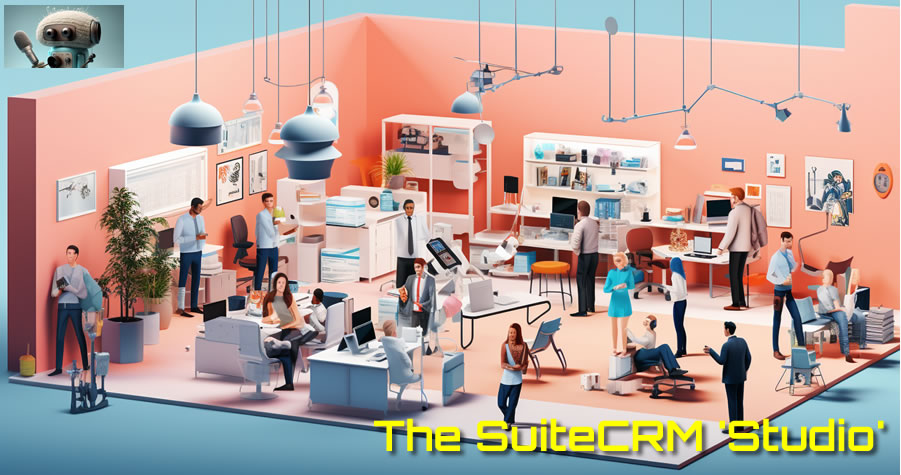
SuiteCRM ‘Studio’: The Powerhouse Empowering Customization and Personalization

July 25, 2023 by chrisely

SuiteCRM is a powerful and fully featured Customer Relationship Management (CRM) platform that provides businesses with the tools they need to manage their customer interactions efficiently. While SuiteCRM offers an extensive range of functionalities out of the box, its true potential lies in its ability to be tailored and customized to meet the unique needs of any business or vertical market. This is made possible through the SuiteCRM Studio, a powerful customization tool that allows administrators to redefine the CRM’s look, feel, and functionality.

The Power of Customization

Unlike many off-the-shelf CRM solutions, SuiteCRM stands out by offering exceptional customization options. By harnessing the SuiteCRM Studio, administrators can make changes to the CRM’s structure, views, lists, and more, ensuring a seamless integration of the CRM into their existing workflows. This level of flexibility allows SuiteCRM to adapt to diverse business needs, making it an ideal choice for companies operating in various industries.

The Dropdown Editor: Personalizing User Experience

One of the standout features of the SuiteCRM Studio is the Dropdown Editor. This tool empowers administrators to create custom dropdown fields and lists, ensuring that data capture is tailored to their specific business requirements. For example, a company operating in multiple regions can create a dropdown field for “Region,” enabling accurate geographical data segmentation. Moreover, user-defined dropdown fields can act as powerful triggers for automating workflows, saving time and streamlining processes.

Fully Customizable Views and Lists

The SuiteCRM Studio provides administrators with the ability to customize views and lists to display only the most relevant information for their teams. They can move fields around on the page, organize them into panels or tabs, and even hide irrelevant data. This level of control ensures that each user can focus on the information most crucial to their role, enhancing productivity and user satisfaction.

Unlocking the Potential of User Defined Fields

User Defined Fields are at the heart of SuiteCRM’s customization capabilities. These fields allow administrators to capture and store unique data points that are specific to their business. For instance, a company in the healthcare sector might add custom fields to track patient medical history, while an e-commerce business could create fields to record customer preferences. The possibilities are virtually limitless, ensuring that SuiteCRM becomes a tailored solution for any business.

Tailoring Modules and Beyond

The SuiteCRM Studio is not limited to customizing standard modules; it extends its reach to custom modules as well. This means that businesses with unique processes or industry-specific needs can build custom modules from scratch, ensuring that the CRM perfectly aligns with their operations.

Security and Permissions

It’s essential to note that the power of SuiteCRM Studio is reserved for admin users. Regular users can efficiently use and interact with the CRM, but they are not granted access to modify the CRM’s structure. This ensures data integrity and prevents unauthorized changes that could disrupt crucial workflows.

SuiteCRM Studio is the engine behind the platform’s unparalleled flexibility and personalization. The Dropdown Editor empowers businesses to create custom dropdown fields, while the SuiteCRM Studio itself allows full customization of views, lists, modules, and more. This adaptability means that SuiteCRM can effectively serve any business or vertical market, providing a CRM that matches their unique processes and needs. By leveraging the power of SuiteCRM Studio, businesses can elevate their customer relationship management, streamline workflows, and unlock the full potential of their CRM investment.

Filed Under: Business Operations, Sonet Dynamics Blog, SuiteCRM

Streamlining Document Generation: How PDF Templates in SuiteCRM Enhance Efficiency

July 24, 2023 by Scott Scholz

In SuiteCRM, PDF Templates are a feature that allows users to create customized PDF documents for various purposes, such as generating quotes, invoices, proposals, and other business-related documents. PDF Templates offer a flexible and efficient way to generate standardized, professional-looking documents with dynamic content based on CRM data.

How PDF Templates Work in SuiteCRM:

  1. Template Creation: Users can design PDF Templates using a user-friendly drag-and-drop interface within SuiteCRM. They can add placeholders for dynamic data fields, such as contact names, addresses, and transaction details, which will be populated automatically when generating the PDF document.
  2. Data Merging: When generating a PDF document, SuiteCRM retrieves relevant data from the CRM database and merges it with the PDF Template, replacing the placeholders with actual information from the CRM records.
  3. PDF Generation: Once the Template is set up and the data is merged, users can generate the PDF document with a single click. The resulting PDF is instantly available for viewing, printing, or sharing with customers or other stakeholders.

Examples of PDF Templates in SuiteCRM:

  1. Quote Generation: Sales representatives can use PDF Templates to create professional quotes for customers. The Template can include the customer’s name, address, product details, pricing, and terms and conditions. When generating a quote for a specific customer, the PDF Template pulls the relevant data from the CRM, resulting in a personalized and consistent quote.
  2. Invoice Generation: With PDF Templates, accounting and finance teams can generate invoices with ease. The Template can include the company logo, billing details, line items, and payment information. When generating an invoice for a particular transaction, SuiteCRM retrieves the transaction data from the CRM, and the PDF Template dynamically generates the invoice.
  3. Proposal Creation: PDF Templates can be utilized to create compelling proposals for potential clients. The Template can include a cover page, executive summary, scope of work, pricing, and terms. When generating a proposal for a specific client, SuiteCRM merges the client’s information and other proposal details, creating a tailored document for that client.

By using PDF Templates in SuiteCRM, businesses can streamline document generation processes, reduce manual efforts, and ensure consistency in their communications with customers. The dynamic content merging ensures that documents are always up-to-date and accurate, enhancing professionalism and customer experience.

Filed Under: Business Operations, Marketing, Sonet Dynamics Blog, SuiteCRM

  • « Go to Previous Page
  • Page 1
  • Page 2
  • Page 3
  • Page 4
  • Page 5
  • Page 6
  • Interim pages omitted …
  • Page 12
  • Go to Next Page »

Copyright © 2026 · Sonet Dynamics llc · All Rights Reserved