• Skip to primary navigation
  • Skip to main content
CRM Junction – SuiteCRM Specialists

CRM Junction - SuiteCRM Specialists

The Home Of SuiteCRM Cloud Computing

  • Home
  • Features
  • Support Services
  • Training
    • Understanding Workflows
    • Understanding ‘The Cloud’
  • Pricing
  • Why SuiteCRM
  • Articles
  • Contact
    • Payments

Scott Scholz

Streamline Your Workload: How to Effectively Utilize the Tasks Module in SuiteCRM 8

July 14, 2023 by Scott Scholz

In SuiteCRM 8, the “Tasks” module is a powerful feature that enables you to manage and track various tasks and activities within your CRM system. It helps you stay organized, prioritize work, and collaborate effectively with your team. Here’s an overview of the Tasks module in SuiteCRM 8 and how to use it:

  1. Accessing the Tasks Module: To access the Tasks module in SuiteCRM 8, log in to your SuiteCRM account and navigate to the main menu. Look for the “Tasks” option, which might be located under the Activities or Calendar section. Clicking on it will take you to the Tasks module’s main page.
  2. Creating a New Task: To create a new task, click on the “Create Task” button within the Tasks module. Fill in the necessary details, such as the task name, due date, priority level, related contacts or accounts, and any other relevant information. You can also assign the task to specific team members or yourself.
  3. Managing Task Details: Within each task, you can capture essential information related to the activity. This includes the task description, due date, status (such as not started, in progress, or completed), priority level, and any custom fields that align with your business requirements. Update these details as the task progresses.
  4. Setting Task Reminders and Alerts: SuiteCRM allows you to set reminders and alerts for tasks to ensure you don’t miss important deadlines. You can configure notifications to be sent via email or within the CRM system, enabling you to stay on top of your tasks and complete them in a timely manner.
  5. Tracking Task Progress: As you work on a task, you can update its status to reflect the progress made. SuiteCRM provides various options, such as marking a task as in progress or completed, allowing you to track and monitor the status of each task effectively.
  6. Collaborating on Tasks: SuiteCRM enables collaboration on tasks by allowing team members to comment and provide updates within the task. This facilitates communication, promotes transparency, and ensures that everyone involved has visibility into the task’s progress.
  7. Organizing Tasks: SuiteCRM offers features to organize and categorize tasks for better management. You can create task lists or categories, assign tags or labels, and filter tasks based on criteria such as due date, priority, or assigned team member. These organizational features help streamline your workflow and prioritize tasks efficiently.
  8. Reporting and Analysis: SuiteCRM provides reporting and analytics capabilities, allowing you to generate reports on tasks. You can analyze metrics such as task completion rates, average time to complete tasks, or task distribution across team members. These insights can help you evaluate productivity, identify bottlenecks, and make data-driven decisions to optimize task management.

By effectively utilizing the Tasks module in SuiteCRM 8, you can enhance your task management, improve collaboration, and ensure that important activities are completed on time, contributing to increased productivity and streamlined workflows.


Filed Under: Business Operations, Sonet Dynamics Blog, SuiteCRM

Boosting Collaboration and Efficiency: Project Management Strategies with SuiteCRM

July 10, 2023 by Scott Scholz

Managing projects using SuiteCRM can streamline your project management processes, improve collaboration, and enhance overall efficiency. Here’s a step-by-step guide on how to effectively manage projects using SuiteCRM: 

  1. Define Project Requirements: Clearly define the project requirements, objectives, and deliverables. Identify key milestones, deadlines, and resources needed. This initial planning phase is crucial to ensure a clear understanding of project scope.
  2. Create Project Tasks: In SuiteCRM, utilize the built-in project management module or create custom modules to represent project tasks. Break down the project into smaller, manageable tasks, and assign them to team members. Set priorities, due dates, and dependencies to establish a structured workflow.
  3. Assign and Collaborate: Assign project tasks to appropriate team members based on their skills and availability. With SuiteCRM, you can easily assign tasks to specific individuals or teams, and they can access their assigned tasks within the CRM system. Encourage collaboration by enabling comments and notifications for task updates, allowing team members to communicate and share progress in real-time.
  4. Track Progress: Regularly track the progress of project tasks within SuiteCRM. Update task statuses, record time spent on each task, and mark completed tasks. Utilize visual indicators, such as task progress bars or custom fields, to provide a quick overview of project status.
  5. Monitor and Manage Resources: SuiteCRM enables you to allocate and manage project resources efficiently. Keep track of resource availability, workload, and potential conflicts. Utilize the calendar and scheduling features to manage resource assignments effectively and ensure optimal resource utilization.
  6. Document and Share Project Information: Store project-related documents, files, and communications within SuiteCRM. Utilize the document management capabilities to centralize project documentation, making it easily accessible to all relevant team members. Enable document sharing and version control to maintain a single source of truth.
  7. Communicate and Collaborate: SuiteCRM provides various communication tools to facilitate collaboration within project teams. Utilize the built-in messaging system, chat features, or integrate with external communication tools to enable seamless communication and quick decision-making.
  8. Monitor Project Performance: Leverage SuiteCRM’s reporting and analytics capabilities to monitor project performance. Generate custom reports and dashboards to track key project metrics, such as task completion rates, project timelines, resource utilization, and budget tracking. Analyze the data to identify bottlenecks, make informed decisions, and optimize project management processes.
  9. Manage Project Budgets and Costs: Utilize SuiteCRM’s financial management features to track project budgets and costs. Create custom fields or modules to capture project expenses, estimate costs, and monitor budget utilization. Integrate with accounting systems if required to streamline financial processes.
  10. Review and Evaluate: Regularly review project progress, outcomes, and lessons learned. Use SuiteCRM’s feedback and review features to gather input from team members and stakeholders. Analyze project performance, identify areas for improvement, and incorporate lessons learned into future projects.

By following these steps and utilizing the robust project management features within SuiteCRM, you can efficiently manage projects, improve team collaboration, and achieve successful project outcomes.

Filed Under: Business Operations, Sonet Dynamics Blog, SuiteCRM

From Home to High Productivity: Harnessing CRM Tools for Remote Workforce Management

July 4, 2023 by Scott Scholz

With the trend of employees now choosing to work away from the office, a company’s Customer Relationship Management (CRM) program can be utilized to monitor the productivity of workers who work from home. Here’s how:

  1. Activity Tracking: A CRM program can track the activities performed by remote workers. It can log various actions such as calls made, emails sent, meetings scheduled, and tasks completed. By capturing these activities, the CRM provides a comprehensive view of a worker’s engagement and productivity.
  2. Task Management: Many CRM systems include built-in task management features. Remote workers can use these tools to create, assign, and update tasks. Managers can then monitor the progress of these tasks, check completion rates, and identify potential bottlenecks or issues.
  3. Performance Metrics: CRM programs often offer performance metrics and reports that provide insights into individual and team productivity. Managers can analyze these metrics to measure the performance of remote workers objectively. For example, they can examine metrics like the number of deals closed, customer response time, or customer satisfaction ratings.
  4. Communication Tracking: With remote work, effective communication becomes crucial. A CRM system can integrate with various communication tools such as email clients, chat platforms, or video conferencing software. By capturing communication data, managers can assess the frequency and quality of remote workers’ interactions with colleagues and clients.
  5. Data Analytics: CRM systems enable data analysis to identify patterns, trends, and correlations related to productivity. By leveraging analytics capabilities, managers can gain insights into how remote workers are performing, identify areas for improvement, and make data-driven decisions to optimize productivity.
  6. Performance Reviews and Feedback: CRM platforms can facilitate performance reviews and feedback sessions. Managers can use the CRM to record performance-related notes, create evaluation templates, and schedule feedback sessions with remote workers. This ensures consistent performance assessment and helps remote employees understand their strengths and areas that require improvement.
  7. Goal Setting and Tracking: CRM systems can be used to set performance goals for remote workers and track their progress. This allows managers to align remote employees’ objectives with the overall company goals and ensure that they stay focused and accountable.
  8. Collaboration and Knowledge Sharing: Some CRM programs provide collaborative features such as document sharing, knowledge bases, and team forums. These features facilitate virtual collaboration among remote workers, enabling them to share best practices, exchange information, and collectively solve problems, which can contribute to increased productivity.

It is important to note that while CRM programs can assist in monitoring remote workers’ productivity, it should be implemented with transparency, trust, and clear communication. Employees should be aware of the monitoring processes and the intended purpose of using the CRM system to ensure a healthy work environment and avoid privacy concerns.

Sonet Dynamics is an expert in the world’s number 1 open source system, SuiteCRM.

Filed Under: Business Operations, Marketing, Sonet Dynamics Blog, SuiteCRM

Efficient Project Planning and Tracking with SuiteCRM’s Projects Module

July 2, 2023 by Scott Scholz

Project planning is a critical aspect of running a successful small business, as it lays the foundation for efficient execution, effective resource allocation, and strategic decision-making. While it may seem daunting to devote time and effort to planning amidst the hustle and bustle of day-to-day operations, the benefits of comprehensive project planning cannot be overstated. From optimizing productivity and minimizing risks to fostering collaboration and achieving long-term goals, a well-structured project plan empowers small businesses to navigate challenges, seize opportunities, and ultimately thrive in a competitive marketplace.

The Projects module in SuiteCRM provides a comprehensive toolset for planning, managing, and tracking various projects within your organization. Here’s a step-by-step guide on how to effectively use the Projects module:


  1. Creating a New Project:

    • To create a new project, navigate to the Projects module within SuiteCRM.
    • Click on the “Create Project” button or the “+” icon to initiate the project creation process.
    • Fill in the required information such as project name, start date, end date, and project status.
    • Optionally, you can assign a project manager, select a related account or contact, and add any additional details or notes.
  2. Defining Project Tasks:

    • Once the project is created, you can start defining individual tasks that need to be completed.
    • Navigate to the “Tasks” sub-panel within the project record.
    • Click on the “Create Task” button to add a new task.
    • Specify the task details such as task name, start date, due date, task status, priority, and assigned user.
    • Provide a description of the task and set any relevant dependencies or milestones.
  3. Tracking Project Progress:

    • SuiteCRM offers various features to track the progress of your project.
    • Within the project record, you can view an overview of tasks, their status, and progress through the “Tasks” sub-panel.
    • Update task statuses regularly as they are completed or if there are any changes.
    • Utilize the project Gantt chart to visualize task dependencies, timelines, and overall project progress.
    • Keep team members informed by using the project-related activity streams or notifications.
  4. Managing Project Documents:

    • SuiteCRM allows you to manage project-related documents within the Documents module.
    • Attach relevant files, such as project plans, specifications, or reports, to the project record.
    • Organize documents into folders for easy access and categorization.
    • Collaborate with team members by sharing documents and setting appropriate access permissions.
  5. Utilizing Collaboration Tools:

    • SuiteCRM offers collaboration tools to enhance team communication and collaboration on projects.
    • Utilize the Comments section within the project record to communicate updates, ask questions, or provide feedback.
    • Take advantage of SuiteCRM’s integration with other communication tools like emails or chat platforms to ensure seamless collaboration.
  6. Reporting and Analysis:

    • SuiteCRM provides reporting capabilities to analyze project performance and gain insights.
    • Generate project-related reports to assess progress, track milestones, and identify bottlenecks.
    • Customize reports and dashboards to display project-specific key performance indicators (KPIs) and metrics.

By effectively utilizing the Projects module in SuiteCRM, you can efficiently manage and track projects, collaborate with team members, and ensure successful project delivery within your organization.

Filed Under: Business Operations, Sonet Dynamics Blog, SuiteCRM

Seamless Integration: Syncing Shopify and SuiteCRM for Efficient E-commerce Management

June 30, 2023 by Scott Scholz

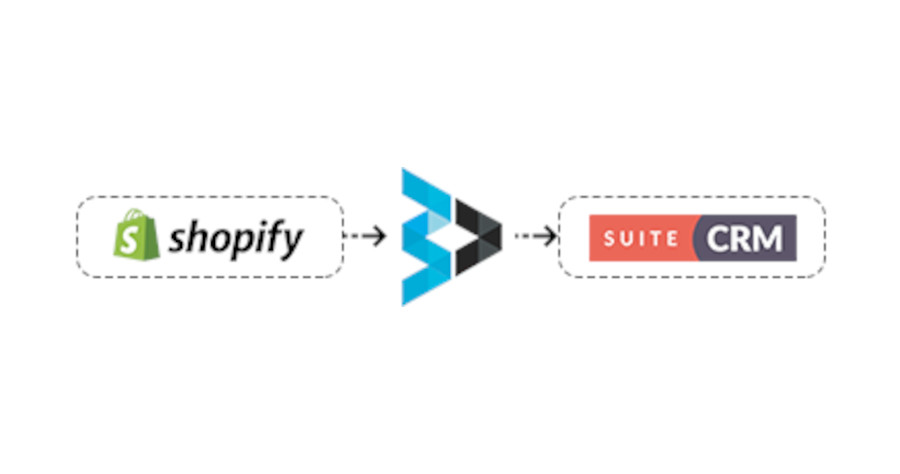
The Shopify Bridge, a powerful solution designed to seamlessly synchronize your customers, products, and orders between Shopify and SuiteCRM in real time. With our plugin, your accounting and sales teams gain a comprehensive overview of your business, customers, and orders directly within SuiteCRM.

Key Modules Covered:

  1. Customer: Our plugin synchronizes customer data from Shopify to SuiteCRM’s contacts module, allowing for a one-way synchronization.
  2. Product: Enjoy one-way synchronization of products and product categories from Shopify to SuiteCRM, ensuring your product catalog is up-to-date.
  3. Orders: All order data, including order status and product tracking information, is synchronized from Shopify to SuiteCRM, providing a complete view of your sales pipeline. The order module in SuiteCRM is customized to meet your specific needs.

Features:

  1. Customer Sync: Easily sync all your Shopify customers into SuiteCRM, ensuring your CRM is populated with up-to-date customer information.
  2. Product Sync: Our solution enables the synchronization of Shopify products into SuiteCRM, keeping your product catalog aligned across both systems.
  3. Real-time Order Sync: As customers place orders in Shopify, they are instantly synced to SuiteCRM in real time, allowing for prompt order processing and management.
  4. Custom Order Module: SuiteCRM incorporates a custom order module tailored to accommodate Shopify order data, offering seamless integration.
  5. Order Status Management: Our plugin efficiently manages order statuses within SuiteCRM, providing clear visibility into the progress of each order.
  6. Bulk Data and Real-time Sync: Choose between bulk data synchronization or real-time data synchronization options, depending on your specific needs and preferences.
  7. Additional Module Integration: SuiteCRM offers the flexibility to integrate extra modules with Shopify, catering to any additional requirements you may have.

With the Shopify Bridge, you can streamline your operations by synchronizing crucial data between Shopify and SuiteCRM, empowering your team with a unified view of your business, customers, and orders.

Filed Under: Marketing, Sonet Dynamics Blog, SuiteCRM

  • « Go to Previous Page
  • Page 1
  • Page 2
  • Page 3
  • Page 4
  • Page 5
  • Page 6
  • Go to Next Page »

Copyright © 2026 · Sonet Dynamics llc · All Rights Reserved