• Skip to primary navigation
  • Skip to main content
CRM Junction – SuiteCRM Specialists

CRM Junction - SuiteCRM Specialists

The Home Of SuiteCRM Cloud Computing

  • Home
  • Features
  • Support Services
  • Training
    • Understanding Workflows
    • Understanding ‘The Cloud’
  • Pricing
  • Why SuiteCRM
  • Articles
  • Contact
    • Payments

Scott Scholz

RevOps: Unlocking Higher Productivity and Efficiency in Revenue Generation

July 28, 2023 by Scott Scholz

The rise of Revenue Operations (RevOps) is changing the traditional sales culture for businesses. RevOps emphasizes a holistic approach to revenue generation, focusing on the entire customer journey, from initial touchpoints to post-purchase support. It recognizes that customer experience involves multiple touchpoints across the organization, breaking down silos between departments.
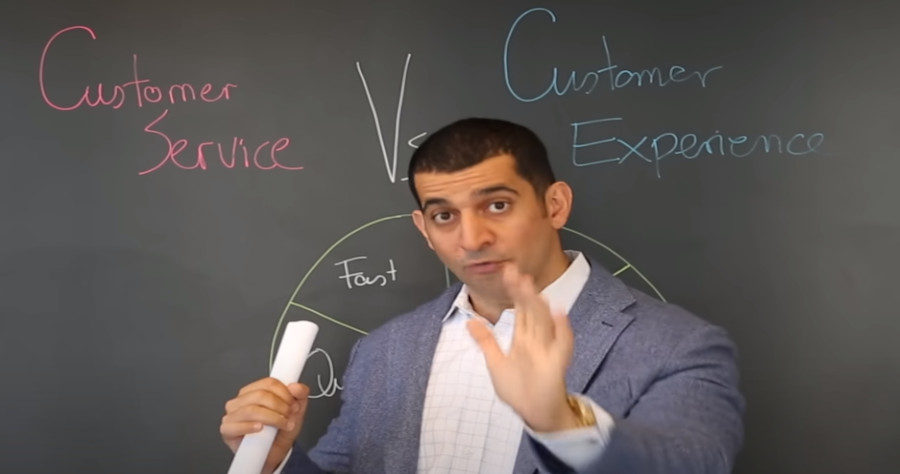
RevOps is not limited to the sales team but involves collaboration across sales, marketing, customer success, and other functions. It brings together all factors related to sales, including marketing, website development, e-commerce, pricing strategy, and more. By implementing a RevOps strategy, companies can streamline internal operations, optimize sales and marketing funnels, reduce friction in the customer journey, and increase customer satisfaction.

The move to RevOps is gaining momentum, with Gartner predicting that 75% of high-growth tech companies will employ RevOps for end-to-end revenue production by 2025. Companies like Grainger and Protective Industrial Products have already made successful transitions to RevOps, resulting in improved revenue generation and streamlined operations.

While RevOps offers numerous advantages, its adoption is hindered by organizational silos, lack of CRM systems, and staffing challenges. However, experts expect more companies to move toward a centralized RevOps model to meet customer demands and adapt to changing buying habits and trends. The implementation of RevOps requires a go-to-market plan and technology solutions tailored to the specific industry. Ultimately, RevOps puts the customer at the center of a company’s revenue generation efforts, leading to increased success in the competitive business environment.

Sonet Dynamics helps companies leverage open source SuiteCRM to manage the customer’s journey with the company and to maximize its revenue generation opportunities.


Filed Under: Business Operations, Marketing, Sonet Dynamics Blog, SuiteCRM

Streamlining Document Generation: How PDF Templates in SuiteCRM Enhance Efficiency

July 24, 2023 by Scott Scholz

In SuiteCRM, PDF Templates are a feature that allows users to create customized PDF documents for various purposes, such as generating quotes, invoices, proposals, and other business-related documents. PDF Templates offer a flexible and efficient way to generate standardized, professional-looking documents with dynamic content based on CRM data.

How PDF Templates Work in SuiteCRM:

  1. Template Creation: Users can design PDF Templates using a user-friendly drag-and-drop interface within SuiteCRM. They can add placeholders for dynamic data fields, such as contact names, addresses, and transaction details, which will be populated automatically when generating the PDF document.
  2. Data Merging: When generating a PDF document, SuiteCRM retrieves relevant data from the CRM database and merges it with the PDF Template, replacing the placeholders with actual information from the CRM records.
  3. PDF Generation: Once the Template is set up and the data is merged, users can generate the PDF document with a single click. The resulting PDF is instantly available for viewing, printing, or sharing with customers or other stakeholders.

Examples of PDF Templates in SuiteCRM:

  1. Quote Generation: Sales representatives can use PDF Templates to create professional quotes for customers. The Template can include the customer’s name, address, product details, pricing, and terms and conditions. When generating a quote for a specific customer, the PDF Template pulls the relevant data from the CRM, resulting in a personalized and consistent quote.
  2. Invoice Generation: With PDF Templates, accounting and finance teams can generate invoices with ease. The Template can include the company logo, billing details, line items, and payment information. When generating an invoice for a particular transaction, SuiteCRM retrieves the transaction data from the CRM, and the PDF Template dynamically generates the invoice.
  3. Proposal Creation: PDF Templates can be utilized to create compelling proposals for potential clients. The Template can include a cover page, executive summary, scope of work, pricing, and terms. When generating a proposal for a specific client, SuiteCRM merges the client’s information and other proposal details, creating a tailored document for that client.

By using PDF Templates in SuiteCRM, businesses can streamline document generation processes, reduce manual efforts, and ensure consistency in their communications with customers. The dynamic content merging ensures that documents are always up-to-date and accurate, enhancing professionalism and customer experience.

Filed Under: Business Operations, Marketing, Sonet Dynamics Blog, SuiteCRM

Unleashing the Potential of Generative AI in Customer Service and CRM Integration: 10 Key Applications

July 22, 2023 by Scott Scholz

Generative AI, an innovative technology in customer service, offers a wealth of possibilities in overcoming content creation bottlenecks and enhancing customer experiences. By automating content generation, it empowers organizations to provide more efficient and personalized customer service across diverse industries. The integration of Generative AI with Customer Relationship Management (CRM) programs opens up new avenues for streamlining customer interactions and optimizing overall business operations.

The Versatility of Generative AI in Customer Service:

  1. Crafting Effective Prompts: Generative AI can create compelling prompts that align with a company’s vision, brand values, customer personas, and style guides, enabling agents to engage customers more effectively.
  2. Predicting Customer Queries: Through analyzing past interactions, Generative AI can anticipate likely questions customers may ask, empowering agents to provide proactive and accurate responses.
  3. Curating Content: By generating curated content from pre-existing knowledge bases and documented resources, Generative AI ensures a consistent and accurate flow of information to customers.
  4. Augmenting Search and Virtual Assistant Responses: Integrating Generative AI with CRM systems can enhance search results and augment virtual assistant responses, delivering more relevant and precise customer support.
  5. Repurposing Existing Content: With Generative AI, organizations can repurpose existing content to cater to different customer needs, maximizing the utility of their resources.
  6. Continuous Content Improvement: Leveraging customer feedback and agent insights, Generative AI contributes to content enhancements in knowledgebases, ensuring the information remains up-to-date and relevant.
  7. Automated Chat Responses: Generative AI can create automated chat responses based on approved content, enabling seamless and accurate interactions with customers through CRM platforms.
  8. Complementary Content Creation: By producing supplementary content to support curated materials, Generative AI enriches the overall customer support experience within the CRM ecosystem.
  9. Post-Interaction Actions: Integrating Generative AI with CRM programs can automate post-interaction tasks, such as follow-up correspondence, enhancing the customer service lifecycle.
  10. Integration and Analytics: To harness the full potential of Generative AI, seamless integration with CRM tools and data analytics allows for continuous improvement in customer interactions and insights into customer behavior.

The Synergy of Generative AI and CRM Integration:

CRM integration with Generative AI fosters a more holistic approach to customer service. By leveraging customer data and interactions stored in CRM databases, Generative AI gains valuable insights to provide personalized responses and tailor content to meet specific customer needs. This synergy streamlines customer interactions, enabling agents to access real-time data, customer history, and personalized information that fosters more meaningful engagements.

Moreover, the integration enhances customer service efficiency by automating routine tasks, freeing up agents to focus on complex inquiries and providing high-value assistance. Generative AI’s ability to adapt to customer preferences and deliver tailored solutions aligns seamlessly with the customer-centric approach that CRM platforms advocate.

The Power of CRM-driven Generative AI in Business Growth:

The integration of Generative AI with CRM solutions opens up transformative opportunities for businesses seeking sustainable growth. Organizations can analyze customer interactions and feedback obtained through CRM systems, allowing Generative AI to continuously improve its responses and content recommendations.

The CRM-driven Generative AI also fosters greater collaboration between marketing, sales, and customer support teams. Sharing valuable customer insights and preferences obtained from CRM data empowers each department to deliver personalized customer experiences and build long-lasting relationships.

Generative AI holds immense potential in revolutionizing customer service. When integrated with CRM programs, it becomes a powerful tool for businesses to unlock deeper customer insights, streamline interactions, and drive overall business growth. Embracing this synergy allows organizations to provide exceptional customer experiences, strengthen brand loyalty, and gain a competitive edge in the dynamic marketplace.

Filed Under: AI, Business Operations, Marketing, Sonet Dynamics Blog, SuiteCRM

Efficient Event Management with SuiteCRM: A Guide to Maximizing Productivity

July 20, 2023 by Scott Scholz

In SuiteCRM, the “Events” module is a powerful tool designed to help companies manage and keep track of various events, meetings, and appointments. It serves as a centralized hub for organizing and scheduling activities, making it easier for team members to stay informed and coordinate their efforts effectively. Here’s an overview of the Events module and how a company can use it to enhance productivity and organization:

  1. Accessing the Events Module: To access the Events module in SuiteCRM, users can navigate to the main menu and select “Events.” This action will take them to the Events module’s main page, where they can view a calendar displaying all scheduled events and activities.
  2. Creating and Managing Events: Within the Events module, users can create new events by clicking on the “Create Event” button. They can then fill in relevant details, such as event title, start and end date and time, location, description, and any other necessary information. This includes assigning the event to specific team members, providing event reminders, and categorizing events based on their type or purpose.
  3. Scheduling Meetings and AppointmentsS: The Events module is particularly useful for scheduling internal team meetings and external appointments with clients or prospects. When creating events, users can invite specific team members, assign tasks or action items, and set reminders to ensure everyone is prepared for the event.
  4. Integrating with Contacts and Accounts: SuiteCRM’s Events module is integrated with other CRM modules, such as Contacts and Accounts. This integration allows users to link events to specific contacts or accounts, making it easier to track interactions and engagements with customers and stakeholders.
  5. Managing Recurring Events: For events that occur regularly, such as weekly team meetings or monthly project updates, SuiteCRM enables users to set up recurring events. This feature saves time and effort, as users can create an event once and specify the recurrence pattern, whether it’s daily, weekly, monthly, or custom-defined.
  6. Event Reminders and Notifications: To ensure that team members never miss important events, SuiteCRM provides built-in reminder and notification features. Users can set up reminders to be sent via email or within the CRM system, prompting attendees about upcoming events and their associated details.
  7. Collaborating and Sharing Information: The Events module encourages collaboration and seamless communication among team members. Users can add notes, comments, and attachments to event records, facilitating the sharing of relevant information and updates.
  8. Tracking Attendance and Performance: After an event is concluded, users can record attendance and add notes regarding the outcomes or key takeaways. This information becomes valuable for performance evaluation, tracking progress, and analyzing the success of events.
  9. Analyzing Event Data: SuiteCRM offers reporting and analytics capabilities, allowing users to generate custom reports on events. These reports can provide insights into event attendance, follow-up actions, and the overall impact of events on business performance.
  10. Customization and Integration: The Events module in SuiteCRM is highly customizable to meet specific business needs. Companies can configure additional fields or attributes to capture event-specific data, ensuring that the module aligns with their unique event management requirements. Furthermore, SuiteCRM integrates with other tools and platforms, enabling seamless data flow and providing a comprehensive view of all customer interactions and activities.

The Events module in SuiteCRM is an essential component for any company seeking to streamline event management, enhance collaboration, and improve overall productivity. By centralizing event scheduling, tracking, and reporting, companies can efficiently manage their calendar of activities, engage with stakeholders effectively, and ensure that everyone is on the same page when it comes to critical events and appointments.

Filed Under: Business Operations, Sonet Dynamics Blog, SuiteCRM

How to Track Your Sales Opportunities and Close More Deals with SuiteCRM 8

July 16, 2023 by Scott Scholz

The Opportunities module in SuiteCRM 8 is used to track sales opportunities. An opportunity is a potential sale that has a good chance of being closed. The module allows you to track the progress of each opportunity, as well as the associated costs and revenue.

To use the Opportunities module, you first need to create an opportunity record. This record will include the following information:

  • Account: The account that the opportunity is associated with.
  • Contact: The contact person for the opportunity.
  • Stage: The stage of the sales process that the opportunity is in.
  • Amount: The estimated amount of the sale.
  • Close Date: The date that the sale is expected to close.

Once you have created an opportunity record, you can track its progress by updating the stage and close date. You can also add notes and attachments to the record.

The Opportunities module also allows you to track the costs and revenue associated with each opportunity. This information can be used to calculate the profitability of your sales pipeline.

To access the Opportunities module, you can click on the Opportunities tab in the SuiteCRM menu. This will take you to the List View, where you can see a list of all your opportunities. You can also use the Search form to find specific opportunities.

The Opportunities module is a powerful tool that can help you track your sales opportunities and improve your sales performance. By using the module effectively, you can increase your chances of closing more deals and growing your business.

Here are some additional tips for using the Opportunities module:

  • Use the Stage field to track the progress of your opportunities. This will help you stay organized and make sure that you are following up on opportunities in a timely manner.
  • Set realistic close dates for your opportunities. This will help you avoid missing deadlines and keep your sales pipeline on track.
  • Track the costs and revenue associated with your opportunities. This information can be used to calculate the profitability of your sales pipeline and identify areas where you can improve your sales process.
  • Use the Notes and Attachments fields to keep track of important information about your opportunities. This information can be used to refer back to later or to share with other members of your sales team.

The Opportunities module is a valuable tool that can help you improve your sales performance. By following these tips, you can get the most out of the module and close more deals.

Filed Under: Marketing, Sonet Dynamics Blog, SuiteCRM

  • « Go to Previous Page
  • Page 1
  • Page 2
  • Page 3
  • Page 4
  • Page 5
  • Page 6
  • Go to Next Page »

Copyright © 2026 · Sonet Dynamics llc · All Rights Reserved